
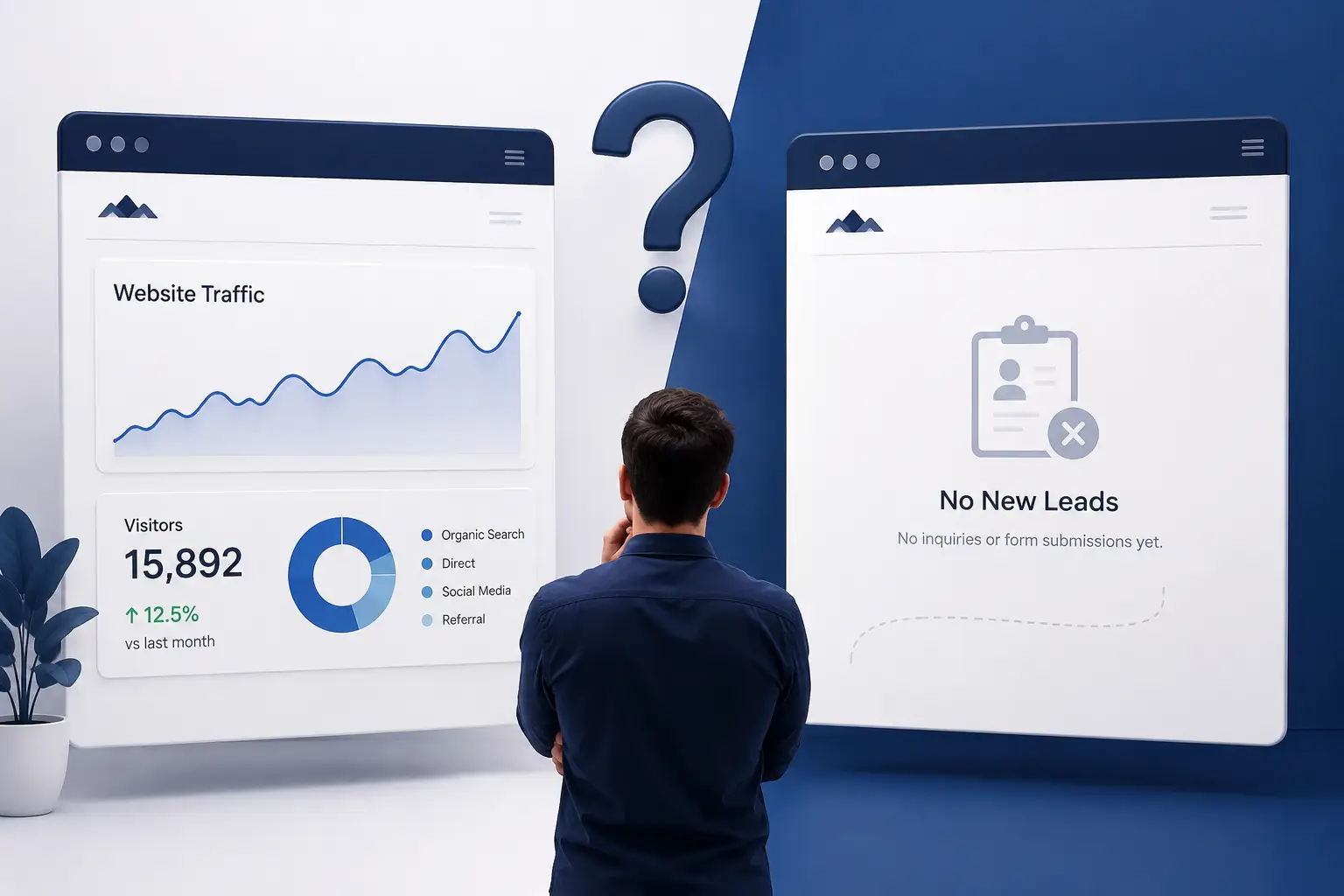
Your website is getting visitors, but your inbox is still quiet. People are landing on your pages, browsing your services, and then leaving without calling, submitting a form, or making an inquiry.
If this sounds familiar, the problem may not be your traffic. Your website might be attracting visitors but failing to turn them into leads.
A successful business website needs to do more than look professional. It should clearly explain your services, build trust, and make it easy for visitors to take the next step.
Here are nine common reasons your website gets traffic but no leads—and what you can do about them.
1. Your Website Has No Clear Goal
Every business website should have a primary purpose. For most service-based businesses, that purpose is to generate inquiries, calls, bookings, or quote requests.
If your homepage tries to do everything at once, visitors may not know what action to take.
For example, a website might have several service pages, a portfolio, a blog, and company information—but no clear direction for the visitor.
How to fix it: Decide what you want visitors to do. Then make that action visible throughout your website with clear buttons such as:
- Request a Quote
- Book a Consultation
- Get Started
- Contact Our Team
Your website should guide visitors toward one clear next step.
2. Visitors Don’t Understand What You Offer
Many websites use vague headlines such as “We Build Digital Experiences” or “Your Success Is Our Mission.”
These statements may sound professional, but they do not immediately explain what the business actually does.
A visitor should understand three things within a few seconds:
- What do you offer?
- Who do you help?
- Why should they choose you?
For example, instead of saying:
“We create digital solutions.”
A clearer message would be:
“We build high-performing WordPress websites that help businesses attract more customers.”
How to fix it: Make your homepage headline specific, benefit-focused, and easy to understand.
3. Your Call-to-Action Is Weak or Missing
A call-to-action tells visitors what to do next. Without one, even interested visitors may leave because they are unsure how to contact you.
A small “Contact” link hidden in the navigation is often not enough.
Your CTA should be visible in important areas such as:
- The homepage hero section
- Service pages
- After important sections
- The end of blog posts
- The website footer
How to fix it: Use action-oriented wording that communicates value. For example, “Get Your Free Website Consultation” is more useful than a generic “Submit.”
4. Your Website Is Difficult to Use on Mobile
A large portion of website traffic comes from mobile devices. If your website looks good on desktop but is difficult to use on a phone, you may be losing potential customers.
Common mobile problems include:
- Text that is too small
- Buttons that are difficult to tap
- Horizontal scrolling
- Forms that are too long
- Images that push content out of place
- Slow-loading pages
A visitor who struggles to navigate your website is unlikely to complete a form or make a call.
How to fix it: Test every important page on different screen sizes. Make sure your content is readable, buttons are easy to tap, and contact options are always accessible.
5. Your Contact Form Creates Too Much Friction
A contact form should make it easy for someone to reach your business—not feel like an application process.
If your form asks for too much information, visitors may abandon it before submitting.
For a basic inquiry, you may only need:
- Name
- Email or phone number
- A short message
You can collect additional details later during the sales process.
How to fix it: Keep forms short, explain what happens after submission, and make sure they work properly on mobile devices.
6. Your Website Is Too Slow
A slow website can damage the user experience before visitors even see your content.
People expect websites to load quickly. If pages take too long to display, visitors may leave before reading your services or reaching your CTA.
Slow performance can be caused by:
- Unoptimized images
- Too many plugins
- Poor hosting
- Excessive scripts
- Unnecessary animations
- Poorly optimized code
How to fix it: Optimize images, reduce unnecessary scripts, improve hosting performance, and regularly test your website speed.
A faster website creates a smoother experience and gives visitors more opportunity to become leads.
7. Visitors Don’t Trust Your Business
Before contacting a business, visitors want to know whether they can trust it.
If your website has no proof of experience, no clear contact information, or no evidence of previous work, potential customers may hesitate.
Trust signals can include:
- Client testimonials
- Portfolio examples
- Case studies
- Business contact details
- Clear service information
- Professional branding
- Relevant certifications or experience
How to fix it: Show visitors why your business is credible. Real examples and clear information are often more persuasive than exaggerated claims.
8. Your Content Attracts the Wrong Audience
Getting traffic is not enough if those visitors are not interested in your services.
For example, a website may receive visitors from an informational blog post, but those visitors may not be looking to hire a service provider.
This does not mean informational content is useless. It means your content should connect with your business goals.
How to fix it: Create content that answers questions your potential customers ask before making a purchase. Include relevant internal links and clear CTAs that guide interested readers toward your services.
9. You Are Not Following Up With Leads
Sometimes the website is generating leads—but the business is not responding quickly or consistently.
A visitor may submit a form and never receive a reply. Another may call outside business hours and forget about the inquiry.
Without a proper follow-up process, valuable opportunities can disappear.
How to fix it: Connect your website forms with a reliable CRM or lead-management system. Use automated confirmations, organize inquiries, and make sure every lead receives a timely response.
Tools such as GoHighLevel can help businesses manage leads, automate follow-ups, and keep communication organized.
How to Turn More Website Visitors Into Leads
Improving conversions does not always require a complete website redesign. Start by reviewing the most important parts of your website:
- Check whether your homepage clearly explains your offer.
- Make your primary CTA easy to find.
- Test your website on mobile devices.
- Simplify your contact forms.
- Improve page speed.
- Add relevant trust signals.
- Review whether your content attracts the right audience.
- Make sure every inquiry receives a follow-up.
Small improvements can make a meaningful difference when they remove the reasons visitors leave without taking action.
Final Thoughts
If your website gets traffic but no leads, the answer may not be to spend more money on advertising. Your website may need a clearer message, a stronger CTA, better mobile usability, or a more effective follow-up process.
Traffic brings people to your website. A well-designed conversion experience gives them a reason to contact you.
At Vynex Solutions, we help businesses build professional, responsive, and lead-focused websites that support real business growth. From WordPress development and website redesigns to SEO and GoHighLevel automation, our solutions are designed to help your website work harder for your business.
Ready to turn more website visitors into customers? Contact Vynex Solutions to discuss your website and discover where you can improve your online results.